Abstract Portrait Artistry PS Action: A Practical Tool for Mixed-Media Design
In the evolving landscape of digital design, the line between traditional photography and illustrative art continues to blur. For creative professionals seeking to bridge this gap without spending hours on manual masking and texture blending, automation tools have become essential workflow components. The Abstract Portrait Artistry PS Action represents a specific niche within this category, focusing on transforming standard portrait photography into complex, mixed-media compositions. Unlike generic filters that simply apply a color grade or blur, this Photoshop action constructs a layered aesthetic combining chaotic scribble lines, halftone patterns, and watercolor textures. For designers, marketers, and content creators aged 20 to 50, understanding the practical utility and limitations of such a tool is crucial before integrating it into a professional pipeline.
Deconstructing the Visual Aesthetic and Technical Composition
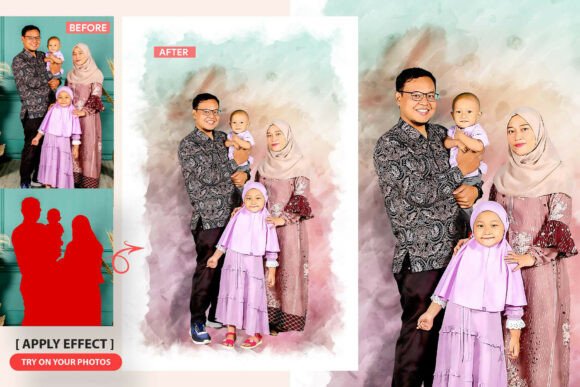
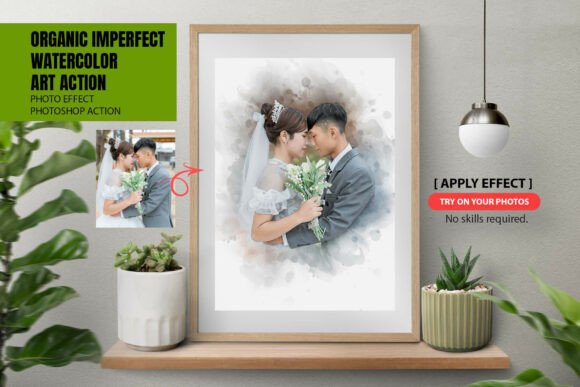
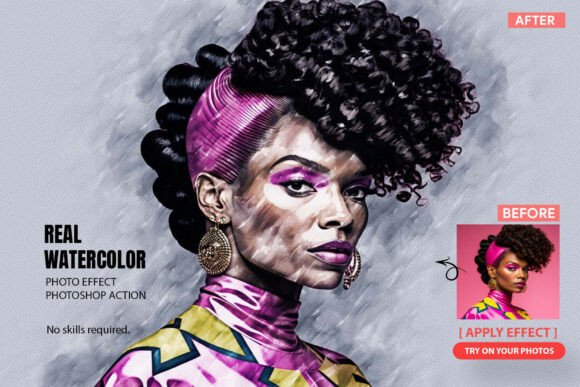
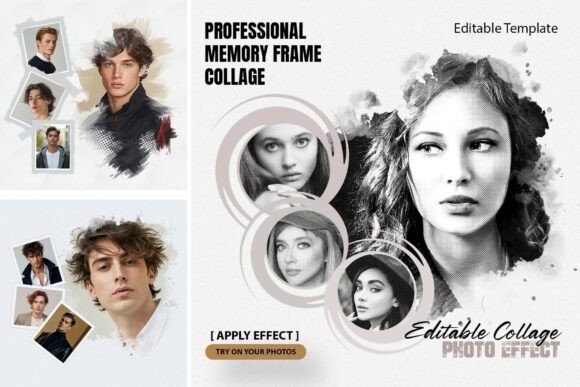
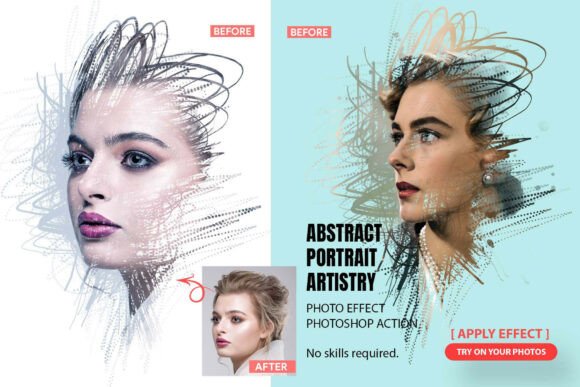
The primary value proposition of the Abstract Portrait Artistry Photoshop Action lies in its ability to replicate high-end editorial graphics that typically require advanced illustration skills. The resulting image is not merely a filtered photograph but a composite of distinct artistic elements. The action generates three primary visual layers: hand-crafted scribble lines that add kinetic energy, fine halftone patterns that introduce print-media nostalgia, and expressive watercolor textures that provide organic softness.
From a technical standpoint, the inclusion of original .ABR brush files and seamless .PAT pattern files suggests a focus on asset quality rather than procedural generation alone. This distinction matters for output resolution. Procedural effects can sometimes appear pixelated or repetitive at large scales, whereas dedicated brush stocks and patterns maintain integrity when scaled for posters or album covers. The aesthetic targets a modern, slightly chaotic look often seen in fashion magazines and independent music promotion, moving away from the clean, sterile perfection of standard retouching toward something more tactile and human.
Workflow Efficiency and Non-Destructive Editing
For freelancers and agency designers working under tight deadlines, the "one-click" promise is attractive, but the post-action workflow is where the real value emerges. A significant advantage of the Abstract Portrait Artistry PS Action is its non-destructive architecture. The original photograph remains untouched, and all generated effects are placed on fully separated, color-coded layers.
This organizational structure addresses a common pain point with automated actions: the "black box" effect where users cannot adjust specific elements after generation. With this tool, if the watercolor overlay obscures a subject’s eyes or the scribble lines clash with existing background elements, the user can simply toggle visibility, adjust opacity, or mask specific areas. This flexibility transforms the action from a novelty toy into a reliable production asset. It allows for iterative refinement, ensuring the final output aligns with specific brand guidelines or art direction rather than forcing a compromise based on the algorithm's default settings.
Real-World Applications Across Creative Disciplines
Evaluating the effectiveness of this action requires looking at specific use cases where its unique style adds tangible value. The tool is particularly well-suited for projects that demand high visual impact but have limited budgets for custom illustration.
- Music and Entertainment: Album covers and concert posters benefit significantly from the chaotic, expressive nature of the scribble and watercolor overlays. The style conveys emotion and genre-specific aesthetics (indie, alternative, electronic) faster than manual composition.
- Editorial and Publishing: Magazine layouts and blog headers often struggle with generic stock photography. Applying this action creates bespoke imagery that feels curated and artistic, increasing engagement without commissioning original art.
- Social Media Branding: For influencers and small business owners, maintaining a cohesive visual identity is challenging. This action provides a consistent stylistic filter that can unify disparate photos into a recognizable brand aesthetic.
- Fashion and Retail: Lookbooks and promotional banners can leverage the mixed-media style to differentiate products from standard e-commerce white-background shots, adding a layer of lifestyle context and artistic prestige.
Assessing Quality, Consistency, and Output Reliability
While the Abstract Portrait Artistry PS Action offers impressive capabilities, professional users must manage expectations regarding consistency. Automated actions interact differently with every source image. Factors such as lighting contrast, subject placement, and background complexity will influence the final result. A high-contrast studio portrait may yield crisp halftones and defined scribbles, while a low-light environmental shot might result in muddier textures.
The inclusion of transparent output support is a critical quality feature for professional integration. Being able to export the result as a Transparent PNG PSD allows designers to place the stylized portrait onto any background without re-running the action or performing tedious extraction work. This interoperability is essential for composite work where the abstract portrait is just one element of a larger layout. However, users should note that while the action handles the heavy lifting, color grading and tonal balancing often still require manual adjustment post-generation to ensure the added textures harmonize with the base photo’s color temperature.
Who Benefits Most and Potential Limitations
This tool is ideally suited for intermediate to advanced Photoshop users who understand layer management but lack the time or drawing skills to create mixed-media effects manually. Beginners may find the initial setup straightforward, but maximizing the tool's potential requires familiarity with masking and blending modes. It is less suitable for purist photographers who prefer unaltered imagery or corporate designers working within strict, conservative brand guidelines that prohibit chaotic or grunge aesthetics.
A realistic limitation to consider is the stylistic specificity. The "abstract scribble" look is trendy, but trends cycle. Users should evaluate whether this aesthetic aligns with their long-term portfolio goals or current client needs. Additionally, while the action automates the creation process, it does not automate artistic judgment. Poorly composed source photos will not be fixed by the action; in fact, the added complexity might highlight compositional weaknesses. The tool works best with strong, well-lit portraits where the subject has clear separation from the background.
Evaluating Long-Term Value and Integration
When considering the acquisition of the Abstract Portrait Artistry PS Action, the decision should hinge on workflow integration rather than novelty. Does this save billable hours? Does it enable you to accept projects that previously required outsourcing illustration? If the answer is yes, the ROI is clear. The combination of the .ATN action file with supplementary .ABR brushes and .PAT patterns ensures that even if the automated action produces an imperfect result, the included assets allow for manual correction and customization.
Ultimately, this action serves as a sophisticated starting point rather than a final destination. It democratizes access to complex mixed-media aesthetics, allowing a broader range of creators to produce gallery-ready digital art. By maintaining a non-destructive, organized layer structure, it respects the professional workflow, offering a balance between automated efficiency and creative control. For those operating in the fast-paced environments of digital marketing, publishing, and independent design, it represents a practical solution to the constant demand for fresh, visually arresting content.