Artist Paint Palette Bundle: A Practical Guide to Quality Vector Assets
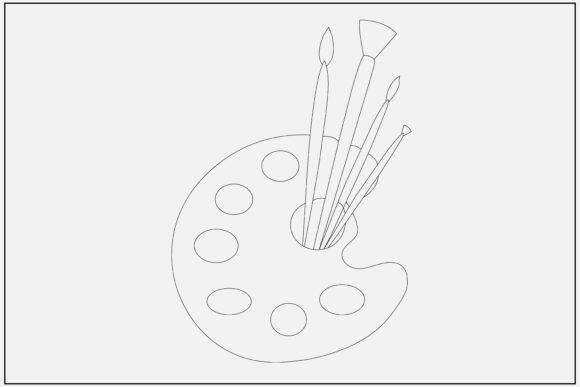
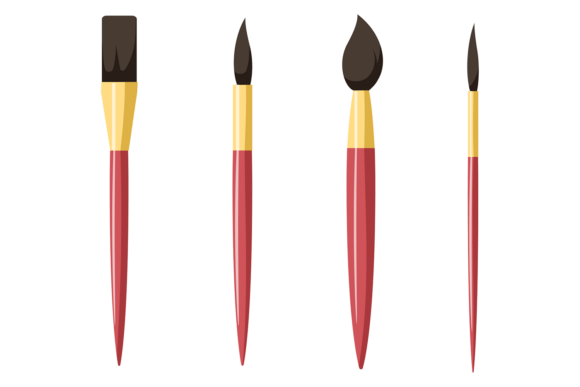
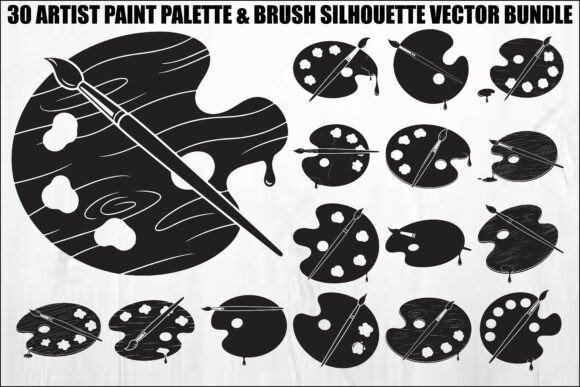
Finding the right visual language for art-related projects can be surprisingly difficult. Whether you are branding a new studio, creating merchandise for painters, or designing decor for a craft room, generic clip art often lacks the sophistication required for professional results. The Artist Paint Palette Bundle addresses this specific need by offering a curated collection of silhouette vectors that balance artistic flair with technical precision. This bundle features classic tools of the trade, including various palette shapes with paint dabs and elegantly placed brushes, all presented in a bold, clean black-on-white style.
However, owning high-quality assets is only half the battle. Many creators, from hobbyists using Cricut machines to professional graphic designers, encounter frustration not because the files are bad, but because they misunderstand how to leverage vector formats effectively. Understanding the nuances of this Artist Paint Palette Brush Silhouette Vector Bundle ensures you avoid common pitfalls related to file selection, cutting preparation, and commercial application.
Selecting the Correct Format for Your Machine
One of the most frequent mistakes beginners make is defaulting to PNG or JPG files simply because they are familiar image formats. While this bundle includes 30 high-resolution JPGs and transparent PNGs, these are raster images composed of pixels. If you attempt to cut these on a Silhouette Cameo or laser engraver, the software must trace the edges, often resulting in jagged lines, lost details, or excessive node counts that slow down your machine.
The Better Approach: Always prioritize the 30 included SVG files for digital cutting. SVG (Scalable Vector Graphics) contains mathematical path data rather than pixels. When you import an SVG into Cricut Design Space or Silhouette Studio, the machine recognizes exact cut lines immediately. This eliminates the need for auto-tracing and guarantees that the sharp, precise outlines of the paint dabs and brush handles remain crisp at any size. Reserve the PNG files for sublimation printing or web use where cutting is not involved.
Avoiding Node Overload in Complex Silhouettes
Even when using SVG files, users sometimes overlook the complexity of the design. Artistic silhouettes, particularly those depicting paint splatters or textured brush strokes, can contain thousands of anchor points. If you try to cut a highly detailed palette design on thin vinyl without simplifying it first, the blade may tear the material or produce rough edges.
Before sending a design to your cutter, open the SVG in vector editing software like Adobe Illustrator (AI files included) or Inkscape. Check the node count. If a single palette shape has excessive points, use the "Simplify" or "Optimize" function to reduce nodes while maintaining the visual integrity of the silhouette. This small step significantly improves cut quality and reduces production time, especially when making bulk items like vinyl decals for supply boxes.
Understanding Licensing and Commercial Application
A critical misunderstanding involves the distinction between personal use and commercial branding. Many creators assume that purchasing a digital bundle grants unlimited rights to resell the artwork as-is. This is rarely the case and can lead to legal issues or platform bans on sites like Etsy.
This Artist Paint Palette Bundle is ideal for art studio logos, painter’s branding, and custom t-shirts, but you must apply transformative effort. Do not simply place a raw silhouette on a mug and sell it. Instead, integrate the vector elements into a unique composition. Combine the palette shapes with custom typography, adjust the colors to match a specific brand identity, or layer multiple elements to create a new scene. This not only keeps you compliant with standard licensing norms but also adds genuine value to your final product.
Evaluating Scalability for Large Format Projects
Another oversight occurs when designers test their projects only at screen size. A palette silhouette might look perfect as a 4-inch laptop sticker, but when scaled up for a craft room wall decal or a shop window sign, the proportions can appear unbalanced. The paint dabs might become too dominant, or the brush handles might look disproportionately thin.
Always preview your design at actual print or cut size before committing to production. Because this bundle provides EPS and AI source files, you have the flexibility to adjust stroke widths or reshape elements if the scaling reveals visual weaknesses. Raster formats cannot offer this corrective capability. Utilizing the editable vector sources allows you to tailor the silhouette specifically for large-format applications, ensuring the artwork remains elegant and proportional regardless of dimensions.
Technical Checks Before Purchase and Use
To maximize satisfaction with the Artist Paint Palette Bundle, perform a few practical checks before starting your project. These evaluations save time and prevent wasted materials.
- Verify Software Compatibility: Ensure your version of Silhouette Studio, Cricut Design Space, or laser software supports SVG imports. Older versions may require updating to read modern vector paths correctly.
- Test Cut Intricate Areas: Paint dab details can be delicate. Run a test cut on scrap material to determine the optimal blade pressure and speed settings for these specific organic shapes.
- Check Color Mode for Printing: If using the PDF or EPS files for professional offset printing, confirm whether the black is defined as K100 or Rich Black. For laser engraving, ensure the artwork is pure black (#000000) to trigger the laser correctly.
- Assess Style Consistency: Review all 30 designs to ensure the line weight and artistic style match your existing brand assets. Mixing inconsistent silhouette styles can make branding look disjointed.
Maximizing Value Across Different Mediums
Versatility is the primary advantage of this collection, but only if you adapt the files to the medium. Laser engraving on wooden craft boxes requires different preparation than vinyl cutting. Wood grain can interfere with fine details, so you may need to thicken the lines of the palette silhouette slightly in the AI or EPS file before engraving. Conversely, for greeting cards or paper crafts, the intricate details can be preserved since paper cuts cleanly.
For educators and workshop leaders, the PDF format offers a distinct advantage. You can compile the silhouettes into printable worksheets or coloring pages for students without worrying about pixelation. The high resolution ensures that even when printed on standard office printers, the educational materials look professional and engaging.
Ultimately, the Artist Paint Palette Bundle serves as a foundational toolkit rather than a finished product. By approaching these assets with technical awareness and creative intention, you move beyond simple crafting into professional design territory. Avoiding format errors, respecting licensing through transformation, and testing for scale will ensure that every palette and brush silhouette enhances your work with the quality and elegance your audience expects.