Evaluating Hand Tool Silhouette Clipart for Technical and Creative Projects
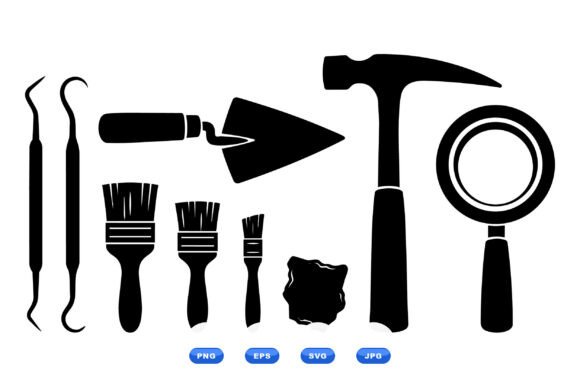
Selecting the right visual assets for restoration, repair, or technical documentation requires balancing aesthetic consistency with functional clarity. Hand Tool Silhouette Clipart serves a specific niche in this ecosystem, offering high-contrast, minimalist representations of essential equipment. Unlike photorealistic stock photography or complex illustrative vectors, silhouette clipart prioritizes shape recognition over texture and detail. This collection, featuring 100 scalable vector artworks including brushes, trowels, hammers, and magnifiers, is designed specifically for users who need immediate visual communication without visual noise. Understanding when to utilize this style versus other graphic resources is essential for designers, technical writers, and project managers aiming for professional results.
Distinguishing Characteristics of Minimalist Vector Silhouettes
The primary value proposition of Hand Tool Silhouette Clipart lies in its reductionist approach. In visual communication theory, silhouettes leverage the human brain’s ability to recognize objects by outline alone. This makes them exceptionally effective for icons, labels, and technical diagrams where space is limited or background complexity is high. The specific inclusion of restoration-focused tools—such as trowels and specialized brushes—differentiates this asset class from generic construction clipart that often focuses solely on heavy machinery or standard carpentry.
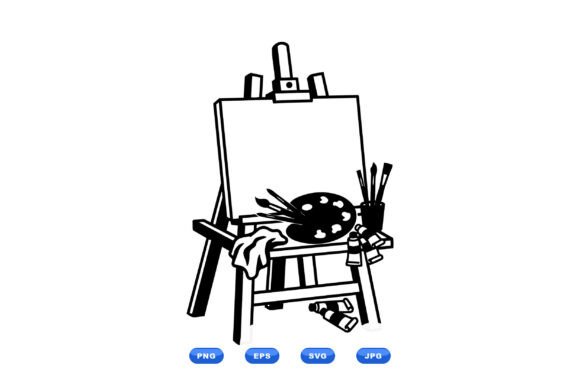
From a technical standpoint, the availability of SVG, EPS, PNG, and JPG formats within a single downloadable ZIP addresses multiple workflow requirements. Vector formats (SVG and EPS) are mathematically defined, meaning they can be scaled infinitely for large-format signage or vehicle wraps without pixelation. Conversely, the included raster formats (PNG and JPG) provide immediate compatibility with word processors, presentation software, and web platforms that may not support vector rendering. This multi-format delivery reduces the friction often associated with converting files between different design environments.
Comparing Silhouettes Against Alternative Visual Styles
When evaluating graphic resources, it is necessary to compare silhouette clipart against other common styles to determine the best fit for a specific project. Each style carries distinct tradeoffs regarding versatility, file size, and cognitive load.
- Photorealistic Stock Photography: Photos provide context and texture but often struggle with transparency and scalability. A photograph of a hammer includes shadows, lighting conditions, and background elements that can clash with a clean technical diagram. Silhouettes eliminate these variables, ensuring uniform contrast across an entire document.
- Detailed Line Art and Engravings: While aesthetically pleasing, intricate line work can become illegible when scaled down for mobile interfaces or small print labels. Silhouettes maintain readability at significantly smaller sizes because they rely on positive mass rather than fine lines.
- Flat Color Vectors: Multi-colored flat vectors are popular for modern app interfaces but can introduce branding conflicts. If a technical manual uses a strict black-and-white color scheme for cost-effective printing, colored vectors require desaturation or modification. Black silhouette clipart is inherently neutral, bypassing color management issues entirely.
- 3D Renders: Three-dimensional icons offer depth but require significant processing power and larger file sizes. For lightweight web performance or simple instructional pamphlets, 3D assets are often unnecessary overhead compared to lightweight 2D vectors.
Technical Versatility and Format Considerations
The decision to acquire a comprehensive pack of 100 vector artworks rather than sourcing individual images is largely driven by consistency and licensing efficiency. Sourcing tools individually from disparate creators often results in a "frankenstein" effect, where stroke weights, perspective angles, and fill densities vary noticeably between icons. A unified collection ensures that a magnifier icon shares the same visual DNA as a trowel icon, which is critical for maintaining professional credibility in technical documentation.
Format selection plays a pivotal role in post-acquisition workflow. Users working in Adobe Illustrator, CorelDRAW, or Inkscape will primarily utilize the EPS or SVG files. These allow for node-level editing; if a specific brush handle needs to be lengthened or a trowel blade reshaped to match proprietary equipment, the vector paths remain fully editable. For users operating within Microsoft Office, Canva, or web content management systems, the PNG files with transparent backgrounds offer drag-and-drop utility. It is worth noting that while JPGs are included for maximum compatibility, they typically lack transparency support, making them less suitable for overlaying onto colored backgrounds unless the white background is intentionally desired.
Best-Fit Scenarios for Restoration and Repair Graphics
Hand Tool Silhouette Clipart excels in specific application areas where clarity trumps artistic expression. Evaluating your project against these use cases can help determine if this resource aligns with your objectives.
Instructional Manuals and Safety Guides: When documenting restoration processes, text-heavy pages benefit from visual anchors. A silhouette of a specific brush next to a paragraph about surface preparation allows readers to quickly scan for relevant sections. The high contrast ensures these graphics reproduce clearly even in low-quality photocopies or faxed documents, a reality in many field-service environments.
Signage and Wayfinding: Workshop organization relies on clear labeling. Silhouettes are ideal for shadow boards, tool crib signage, and safety warnings. Because they lack internal detail, they can be easily cut from vinyl, laser-engraved onto wood, or stenciled onto concrete. Complex illustrations would fail in these manufacturing contexts due to the limitations of physical fabrication methods.
Digital User Interfaces: For apps or websites dedicated to home improvement, antique restoration, or facility management, silhouette icons serve as intuitive navigation elements. Their neutral appearance allows them to adapt to dark mode or light mode themes simply by inverting the fill color, providing long-term design flexibility.
Limitations and Decision Factors
Despite their utility, silhouette cliparts are not a universal solution. Potential users must weigh specific limitations before committing to this style. The most significant constraint is the lack of internal detail. If a diagram needs to demonstrate the internal mechanism of a tool, the angle of a bristle, or the specific wear pattern on a trowel edge, a solid black silhouette cannot convey this information. In such cases, technical line drawings or annotated photographs are superior choices.
Additionally, the abstract nature of silhouettes can sometimes lead to ambiguity. A generic hammer silhouette is universally recognized, but specialized restoration tools may have similar outlines. A scraping tool might visually resemble a putty knife when reduced to a pure shape. Users should evaluate whether their target audience possesses sufficient domain knowledge to interpret these shapes correctly without supplementary text labels. If the audience is untrained novices, more descriptive imagery may be required to prevent confusion.
Another consideration is the static nature of the artwork. While vectors are editable, modifying a silhouette to show motion, interaction, or assembly sequences requires vector illustration skills. If a project requires dynamic depictions of tools in use rather than static representations of tools at rest, users may need to supplement this clipart pack with custom illustrations or action-oriented stock photography.
Evaluating Value: Bundles vs. Individual Assets
For professionals managing multiple projects, the economic and temporal efficiency of a 100-piece bundle generally outweighs per-image licensing. However, for a one-off project requiring only two or three specific tools, a massive library may represent unnecessary expenditure and digital clutter. Decision-makers should assess the likelihood of future needs. Restoration and repair are broad fields; possessing a diverse library of brushes, magnifiers, and hand tools provides insurance against future design bottlenecks.
Furthermore, the resolution independence of vector art future-proofs the investment. A raster image purchased today may look obsolete on next year’s high-DPI displays or large-format printers. Vector silhouettes remain crisp regardless of technological shifts in display density. This longevity makes them a sustainable choice for organizations that update their branding or documentation infrequently but require assets to remain viable for years.
Making an Informed Selection
Ultimately, the choice to utilize Hand Tool Silhouette Clipart should be driven by the functional requirements of the communication task. If the goal is rapid recognition, cross-platform compatibility, and stylistic neutrality for restoration and repair contexts, this format offers distinct advantages over photographic or detailed illustrative alternatives. The combination of essential restoration tools and versatile file formats creates a practical foundation for both print and digital applications.
However, if the project demands emotional resonance, photorealistic accuracy, or mechanical exposition, users should look elsewhere or plan to hybridize their visual strategy. By understanding the specific strengths of minimalist vector silhouettes—and acknowledging where they fall short—designers and researchers can build more effective, efficient, and professional visual communications. The presence of high-resolution SVG, PNG, JPG, and EPS files in a single package further streamlines the production process, allowing teams to focus on content accuracy rather than file conversion troubleshooting.