Art Palette and Brushes SVG Clipart: A Practical Guide for Clean Cuts and Professional Results
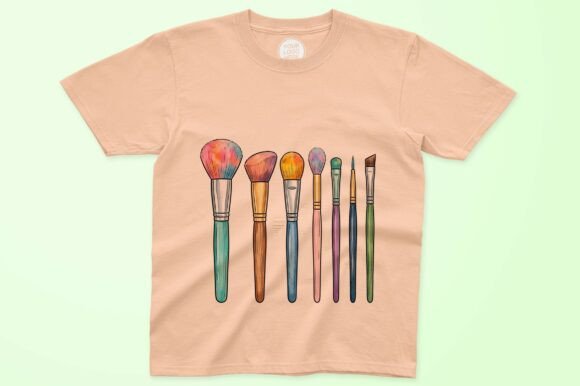
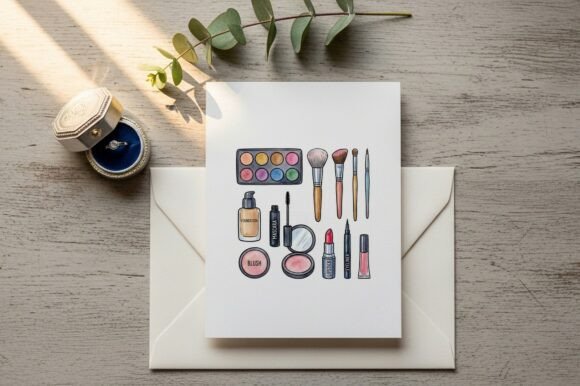
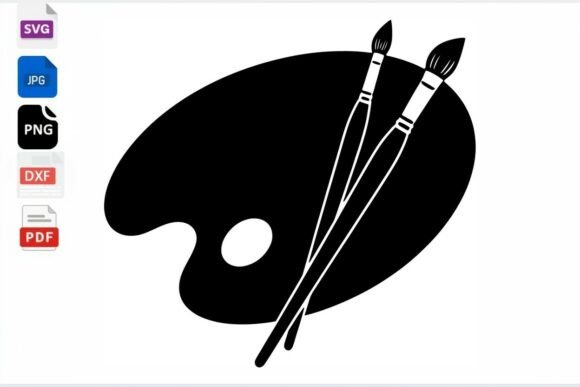
Bringing your creative ideas to life requires more than just inspiration; it demands digital assets that perform reliably under the blade of a cutting machine or the scrutiny of professional design software. The Art Palette and Brushes SVG Clipart serves as a foundational element for creators focusing on artistic themes, education, and personalized gifts. This beautifully crafted Silhouette Cut File, provided in both SVG and EPS formats, is designed with precision to ensure clarity across various applications. Whether you are producing custom apparel, drinkware, or wall art, understanding how to properly evaluate and utilize this specific type of vector graphics is essential for avoiding wasted materials and frustration.
Many crafters and small business owners assume that all downloadable cut files are created equal. This assumption often leads to poor results when working with intricate designs like paint palettes and brush clusters. While the Art Palette and Brushes SVG Clipart is optimized for compatibility with Cricut, Silhouette Studio Designer Edition, and Adobe Illustrator, the final output depends heavily on user preparation. Recognizing common pitfalls before you hit "cut" or "print" will save you time, vinyl, and money while ensuring your projects meet professional standards.
Evaluating Vector Integrity Before Cutting
One of the most frequent mistakes occurs when users download a file and immediately send it to their cutting mat without inspecting the node structure. Not all SVGs are true vectors; some are merely raster images traced automatically by software, resulting in jagged edges and excessive anchor points. When working with Art Palette and Brushes SVG Clipart, zoom in to 400% or higher within your design software. The lines should remain perfectly smooth and crisp. If you see pixelation or erratic nodes along the curve of a paintbrush handle or the edge of the palette, the file may require cleanup.
Ignoring node count is another efficiency killer. A poorly optimized file might have thousands of unnecessary points, causing your cutting machine to stutter, pause, or tear delicate vinyl. Before using this design for detailed projects like laptop decals or car window stickers, use the "Simplify" or "Smooth" function in your software to reduce anchor points without altering the visual shape. This step ensures the blade moves fluidly, producing clean weeds and professional edges. For those using the included EPS format in Adobe Illustrator, utilizing the Object > Path > Simplify tool is a best practice that preserves scalability while optimizing cut performance.
Understanding Format Compatibility and Software Limitations
Confusion between SVG and EPS formats often leads to workflow bottlenecks. While both are vector formats, they serve different ecosystems. The SVG file included with the Art Palette and Brushes SVG Clipart is specifically structured for cutting machine software. It typically contains layered groups and cut lines recognized natively by Cricut Design Space and Silhouette Studio. Attempting to force an EPS file into basic cutting software can sometimes result in lost layers or ungrouped elements that require tedious reassembly.
Conversely, professional designers using Adobe Illustrator or CorelDRAW should prioritize the EPS format for merchandise design and large-scale printing. EPS files maintain superior color profile data and stroke information that SVGs sometimes flatten during conversion. A common error involves opening the SVG version in Illustrator for print work, only to find that gradients or specific brush textures have been converted to solid shapes. Always match the file format to your end goal: SVG for physical cutting and crafting, EPS for digital editing, screen printing, and high-resolution commercial merchandise.
Sizing and Proportion Pitfalls in Application
Scalability is the primary advantage of vector art, but it does not guarantee usability at every size. A frequent oversight with Art Palette and Brushes SVG Clipart is resizing the design too small for the chosen material. Paint bristles and palette wells contain fine details that may vanish when scaled down for items like pen wraps or small jar labels. Vinyl has physical limitations; if the negative space between brush strokes is smaller than 2mm, standard adhesive vinyl will likely fail during weeding or application.
To avoid this, test the minimum viable size before committing to a full production run. For heat transfer vinyl (HTV) on t-shirts and hoodies, ensure the smallest detail is at least 3mm wide to withstand washing and wear. If you need a miniature version for scrapbooking or stickers, consider switching to cardstock or printable vinyl instead of adhesive vinyl, as these materials hold finer details better. Alternatively, modify the design by simplifying the brush tips or merging overlapping elements to create a version specifically intended for small-scale applications. This proactive adjustment prevents material waste and ensures legibility across all project sizes.
Material Selection and Color Contrast Considerations
The aesthetic success of Art Palette and Brushes SVG Clipart relies heavily on material choice and contrast. A common misstep is selecting vinyl colors that lack sufficient contrast against the base material, making the artistic details indistinguishable. For example, applying dark blue vinyl to a black tote bag renders the palette design invisible from a distance. Since this clipart celebrates creativity and color, the material selection should enhance rather than obscure the design intent.
When creating multi-layered projects, such as a colorful palette with distinct paint blobs, registration marks and layer alignment become critical. Beginners often struggle with aligning separate color layers, leading to gaps or overlaps. Utilize the built-in alignment tools in your cutting software rather than eyeballing placement. For complex multi-color designs, consider using printable HTV or sublimation instead of layered vinyl. These methods allow you to print the full-color Art Palette and Brushes SVG Clipart as a single image, eliminating alignment issues entirely while preserving the vibrant, painterly aesthetic that makes the design appealing.
Licensing and Commercial Usage Verification
For entrepreneurs and small business owners, overlooking licensing terms is a significant risk. Just because a file is downloadable does not mean it is cleared for commercial sale. Before listing mugs, tumblers, or apparel featuring Art Palette and Brushes SVG Clipart on marketplaces like Etsy or Shopify, verify the specific license included with your purchase. Some licenses permit unlimited physical sales but prohibit digital redistribution or mass manufacturing. Others may require attribution or have caps on the number of units sold.
Misunderstanding these terms can lead to shop suspensions or legal issues. Keep a record of your purchase receipt and license agreement. If you plan to use the design for client work or educational materials, ensure the license covers third-party deliverables. When in doubt, contact the designer for clarification. Respecting intellectual property not only protects your business but also supports the creator community that produces these valuable resources. Proper verification ensures that your creative enterprise is built on a foundation of integrity and compliance.
Optimizing Workflow for Consistent Quality
Achieving consistent results with Art Palette and Brushes SVG Clipart requires a standardized workflow. Many hobbyists treat each project as an isolated event, recalibrating settings and re-evaluating the file every time. Instead, create a master template file where the design is already cleaned, sized for common blanks, and tested. Document your successful cut settings for different materials—adhesive vinyl, HTV, stencil film, and cardstock—in a notebook or digital spreadsheet.
This systematic approach reduces setup time and minimizes errors during busy production periods. When you know exactly which blade depth and pressure setting works best for the intricate bristles of the brush design on premium vinyl, you eliminate guesswork. Furthermore, maintaining organized source files ensures you always return to the highest quality version of the Art Palette and Brushes SVG Clipart rather than a previously modified or degraded copy. By treating digital assets with the same care as physical tools, you elevate the quality of your craftsmanship and build a sustainable, efficient creative practice.